

Most automation projects in agencies don't fail because the automation is bad. They fail because the data underneath is quietly broken, and nobody finds out until the automation starts acting on it at scale. A parser fills in a wrong VIN on 40 applications before anyone notices. A renewal batch fires using a stale EIN. A certificate pulls the wrong holder name because the field had three different versions of the same company stored in it.
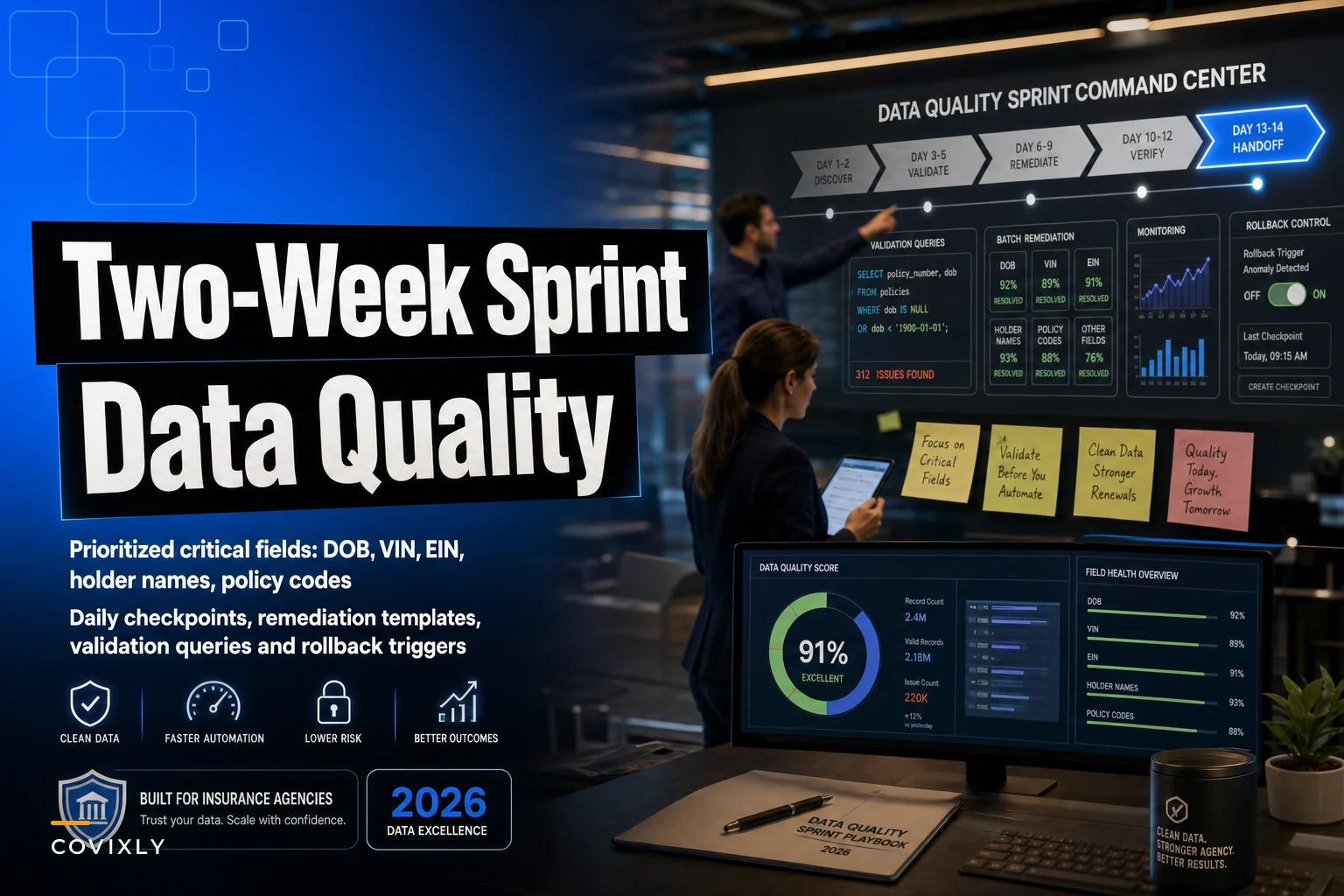
The fix isn't glamorous. It's a focused two-week window where you clean the handful of fields that actually break things downstream, verify them with real queries, and set up guardrails so your production data doesn't keep degrading while you work. That's the whole scope of this piece: a tight insurance agency data quality sprint that gets your critical fields trustworthy before any automation touches them.
Not a data governance program. Not a year-long cleanup. Two weeks, five field types, daily checkpoints, and rollback triggers so you don't blow up live policies.
Why these five fields, and nothing else
The temptation during any cleanup is to fix everything. Resist it. The fields that cause automation disasters are a short list — they're the ones other systems key on or act on. Everything else can be messy and your automation will mostly survive.
Here's the prioritized critical field list and why each one earns a spot:
| Field | Why it breaks automation | Common failure mode |
|---|---|---|
| DOB | Drives rating, underwriting eligibility, and age-based rules | Wrong format (MM/DD vs DD/MM), placeholder dates like 01/01/1900 |
| VIN | Keyed by carrier APIs and vehicle lookups | Transposed characters, missing leading digits, "SEE POLICY" text |
| EIN | Identifies commercial entities for billing and compliance | Dashes inconsistent, personal SSN entered instead, duplicate entities |
| Holder names | Used verbatim on certs, binders, endorsements | Multiple spellings of same entity, DBA vs legal name confusion |
| Policy codes | Routing, product mapping, carrier matching | Deprecated codes, free-text instead of standardized values |
Phone numbers, secondary addresses, notes fields — those can be a disaster and you'll probably still be fine. These five are different. When they're wrong, automation doesn't just skip a record; it produces a confidently wrong output and sends it somewhere it shouldn't.
The pattern worth understanding: the most dangerous fields aren't the ones that are empty. They're the ones that are populated but wrong. An empty VIN throws an error you'll catch. A plausible-but-wrong VIN sails through validation and ends up on a binding document.
The structure: two weeks, two halves
Week one is discovery and triage. You're finding the bad records, categorizing them, and building your validation queries. You are not mass-editing production data yet.
Eliminate paperwork bottlenecks and missed deadlines.
Covixly helps you track, manage, and close every policy and claim with confidence and speed.
- Unified policy & claims management
- Automated client notifications
- Agent task coordination
No credit card required
Week two is remediation and monitoring. You fix in controlled batches, re-validate after each batch, and stand up the dashboards that keep things clean after the sprint ends.
The split matters. Agencies that start editing on day one almost always create new problems — they fix a VIN format and break something that depended on the old format, or they merge two "duplicate" holder names that were actually two legitimately different entities. Spend the first week understanding the shape of the mess before you touch anything.
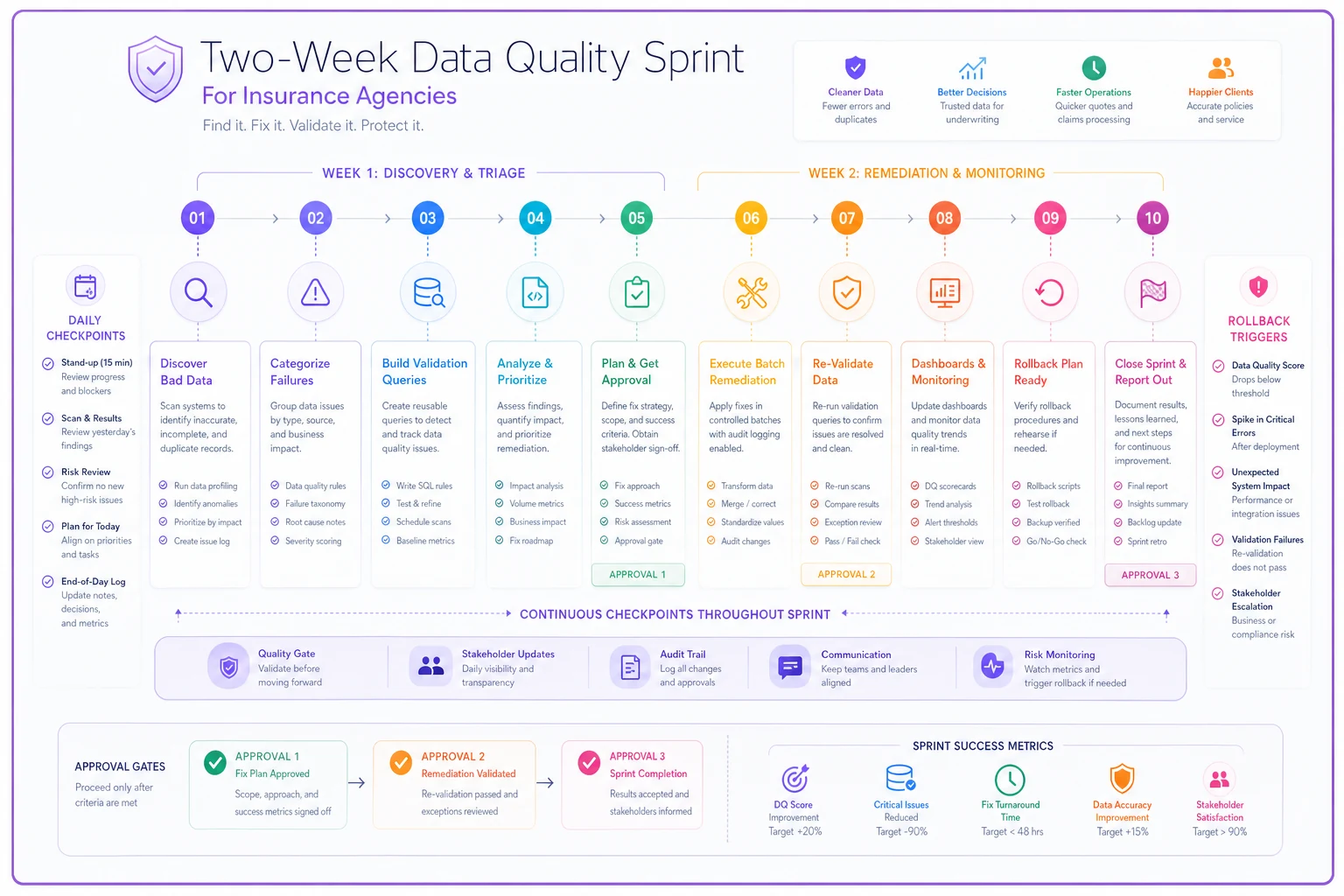
A simple visual of the phases helps teams follow the schedule and know when to pause for rollback.
Week one, day by day
Day 1 — Baseline counts and the "trust snapshot"
Before anyone fixes anything, you need to know how bad it actually is. Run counts, not fixes.
-- VINs that aren't 17 characters or contain illegal characters SELECT policyid, vin, LENGTH(vin) AS vinlen FROM policy_vehicles WHERE LENGTH(vin) <> 17 OR vin ~ '[IOQ]' -- VINs never contain I, O, or Q OR vin ILIKE '%see%' OR vin IS NULL;
Do the same for each field. For DOB, flag anything before 1910 or in the future. For EIN, flag anything that's nine digits in SSN range or has inconsistent formatting. Write the counts down. This is your baseline — you'll compare against it every day.
Checkpoint: End day one knowing roughly what percentage of each critical field is suspect. A typical first look turns up somewhere around 6–12% of VINs, 2–4% of EINs, and a surprisingly high share of holder names with duplicate variants.
Day 2 — Categorize the failures
-
Format-only (fixable programmatically — dashes, spacing, leading zeros)
-
Wrong value (requires source document to correct)
-
Ambiguous (two possible right answers — needs a human decision)
-
Duplicate entity (same holder, multiple records)
The split between these buckets determines how much work the sprint actually is. Format-only problems are fast. Wrong-value and ambiguous problems need a person with the source doc, which is where the real time goes.
Day 3 — Build holder-name clustering
-- Group similar holder names to find likely duplicates SELECT LOWER(REGEXPREPLACE(holdername, '[^a-zA-Z0-9]', '', 'g')) AS normalized, COUNT(*) AS variants, STRINGAGG(DISTINCT holdername, ' | ') AS spellings FROM certificateholders GROUP BY normalized HAVING COUNT(DISTINCT holdername) > 1 ORDER BY variants DESC;
The output gives you a worklist of name clusters to review. This is where consistent naming standards pay off long-term — if you've already set up document and entity naming rules the way described in standards for documents: naming taxonomy, template library and enforcement rules, clustering is far less painful because you have a canonical form to match against.
Day 4 — Validation query library
By now you have detection queries for each field. Clean them up and save them as a reusable set. You'll run these every single day for the rest of the sprint, so make them repeatable. Each query should return a count and a sample of failing records.
Day 5 — Remediation templates and the rollback plan
Before you touch production, write the templates for how fixes happen. A remediation template is just a documented, repeatable correction with a record of what changed and why.
-
Field name
-
Trigger (what query flagged it)
-
Correction rule (exactly how to fix)
-
Source of truth (application, carrier doc, client confirmation)
-
Who approves (especially for holder merges)
-
Rollback value (the original, stored before overwrite)
That last one is non-negotiable. Never overwrite a critical field without storing the old value somewhere you can read it back. Rollback is only possible if you kept the before-state.
Week two, day by day
Day 6 — Fix format-only issues in small batches
Start with the easy wins, but still in batches. Fix 50–100 records, re-run validation, confirm the count dropped and nothing else moved. The mistake agencies make here is running one giant UPDATE across thousands of rows and only then checking. Small batches mean a bad rule gets caught after 50 records instead of 5,000.
-- Example: normalize EIN format to XX-XXXXXXX, batch-limited UPDATE commercialentities SET ein = REGEXPREPLACE(ein, '[^0-9]', '', 'g') WHERE entityid IN ( SELECT entityid FROM commercial_entities WHERE ein ~ '[^0-9-]' LIMIT 100 );
Store originals first. Always.
Day 7 — Wrong-value corrections against source docs
These can't be automated because the correct value lives in a document, not a formula. Assign them out. A CSR pulls the application or carrier doc, confirms the real VIN or DOB, and corrects it through the template. Slower, but this is the work that actually protects clients.
Day 8 — Holder-name merges (carefully)
Merging entities is the single most dangerous remediation step because an incorrect merge collapses two real clients into one. Require a second set of eyes on every merge. Confirm matching EIN or address before combining. When in doubt, leave them separate and flag for later review — an unmerged duplicate is annoying; a wrongly merged client is a problem that touches certs, billing, and claims all at once.
Day 9 — Policy code standardization
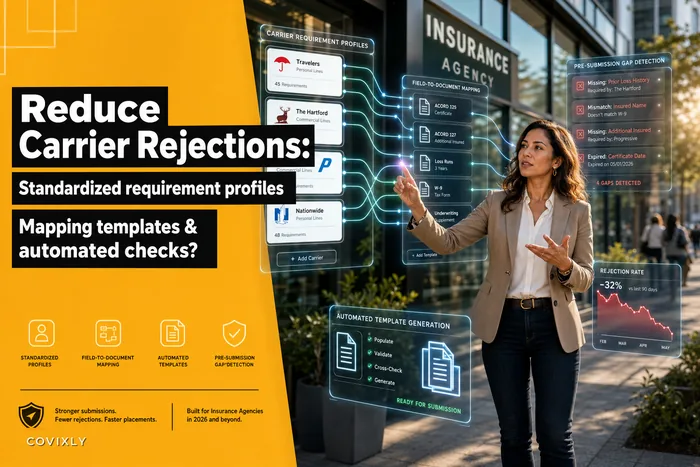
Map free-text and deprecated codes to your standardized values. If you work across multiple carriers, this is also when inconsistent carrier-specific codes surface. Having standardized carrier profiles already in place — along the lines of automated carrier requirements tracking with standardized profiles and mapping templates — makes this mapping far less guesswork.
Day 10 — Full re-validation and sign-off
Run every query from your library one last time. Compare against the day-one baseline. Document what's clean, what's still flagged (there will always be some genuinely ambiguous records), and what rules now guard against regression.
Daily checkpoints that keep the sprint honest
Each day during the sprint, run this short routine. It takes maybe 20 minutes and prevents things from quietly going sideways:
-
Run the full validation query library, log counts per field
-
Compare today's counts to yesterday's — numbers should only go down
-
Check the rollback table captured every overwrite from the day's batches
-
Spot-check 5 corrected records against source documents
-
Flag any field where the count went up (that's a regression — stop and investigate)
That last check is the one that saves you. If VIN failures drop from 400 to 120 but DOB failures climb from 30 to 90, something had a side effect. Catch it same-day, not three weeks later when automation is already running on it.
Rollback triggers: when to stop and reverse
You're editing live data, so you need pre-agreed conditions that halt the sprint and reverse the last batch. Define these before you start, not in the moment:
-
A validation count increases after a batch instead of decreasing
-
A corrected record breaks a downstream process (a cert fails to generate, a carrier push rejects)
-
A holder merge is discovered to have combined two real clients
-
More than roughly 5% of a batch fails spot-check against source documents
Any one of these, you roll back the last batch using your stored original values, figure out what went wrong, and resume only after the rule is fixed. This is the whole reason you stored rollback values on day five.
A real scenario
A mid-size commercial agency — roughly 2,800 active policies, mostly small commercial auto and GL — wanted to automate certificate generation and renewal notices. They almost launched without a data pass.
The sprint turned up about 190 VINs that were either the wrong length or contained placeholder text, and close to 60 commercial entities where the same business existed under two or three holder-name spellings. A handful of EINs were actually SSNs entered in the wrong field.
Had they automated first, the certificate run would have generated documents with mismatched holder names for those 60-odd entities, and the carrier VIN lookups would have silently failed on the bad VINs. Instead, the two-week cleanup caught all of it. After the sprint, the automated cert run went out with roughly a 1% exception rate instead of the double-digit mess it would've been. Renewal notices went to correctly-identified entities. Nothing had to be clawed back from clients.
The owner's comment afterward was basically that the boring two weeks saved them from an embarrassing automated launch — the kind where you're emailing clients to apologize for a document with the wrong company name on it.
When this sprint makes sense — and when it doesn't
Do this when: you're about to turn on any automation that reads or acts on these fields — auto-fill, batch renewals, cert generation, carrier API pushes. Cleaning data first is dramatically cheaper than cleaning up after automation has already acted on bad data.
Skip the full two-week version when: your dataset is small enough that a manual review of a few hundred records is faster than building query infrastructure. If you've got 300 policies, you don't need a sprint — you need an afternoon and a spreadsheet.
Be cautious if: you don't have a safe way to store rollback values or a non-production environment to test corrections. In that case, spend the first days setting up that safety net before touching anything. Editing live critical fields with no rollback path is how a cleanup project turns into an incident.
How this connects to the automation you're about to build
The reason to do this before automation and not alongside it is pretty simple: automation amplifies whatever it's given. Clean inputs produce clean outputs at scale. Dirty inputs produce dirty outputs at scale — and much faster than a human would've made them.
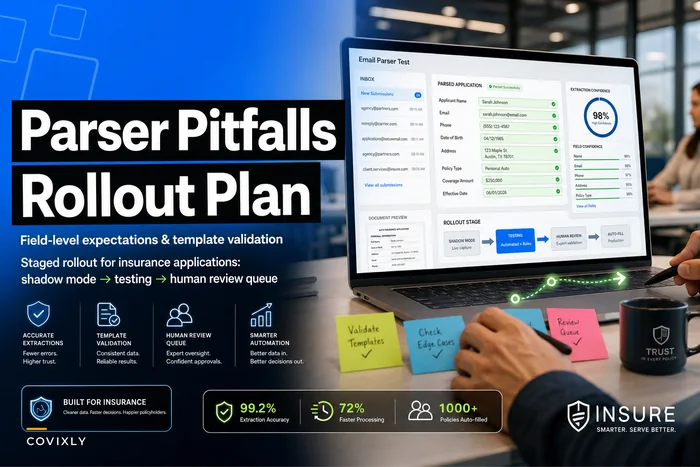
If your next step is auto-filling applications, the field-level expectations and staged rollout covered in avoiding parser pitfalls when auto-filling new policy applications pairs directly with this sprint. The sprint gives you trustworthy source fields; the parser rollout makes sure the automation reads them correctly. One without the other leaves a gap.
Two weeks of unglamorous query-writing and batch corrections isn't exciting work. But it's the difference between automation that quietly handles your volume and automation that quietly multiplies your mistakes. Clean the five fields, keep the rollback values, watch the daily counts, and launch on data you actually trust.
Ready to transform your insurance agency operations?
Join 500+ agencies using Covixly to reduce manual work, improve client service, and grow their book of business.