

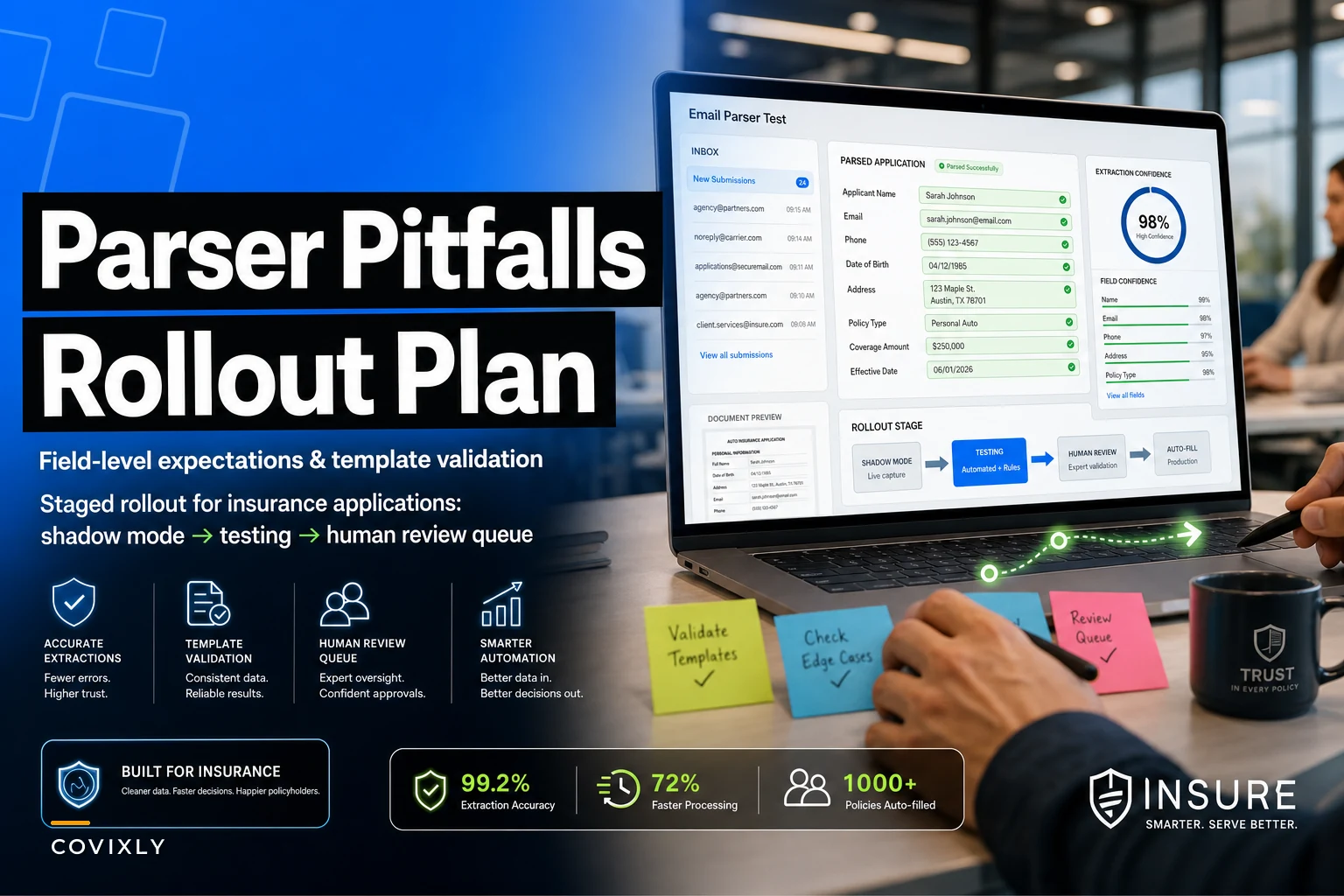

Most agencies that try to auto-fill applications from inbound emails hit the same wall around week three. The parser reads the easy stuff — name, DOB, email address — and then chokes on the fields that actually matter: prior carrier, effective date, VIN, loss history, entity type. Someone still has to open the email, cross-check the ACORD form, and fix what the parser got wrong. So instead of eliminating manual entry, you've added a review step on top of it.
That's the failure pattern nobody warns you about. The parser isn't the problem. The problem is that agencies treat parsing like a magic OCR button instead of a system with field-level expectations, template design, and validation rules that determine when a human needs to get involved.
This post is about the boring middle layer that makes or breaks the whole thing.
Why parsers fail on the fields that matter most
A parser trained on generic text does great on structured, predictable fields and terrible on anything that varies by carrier, format, or human phrasing.
-
Effective date arrives as "eff 1/5," "effective January 5th," "start date 01-05-2025," or buried in a signature line.
-
Prior carrier shows up as "currently with Progressive," "prev
Prog," or just a policy number with no carrier name at all.
-
A commercial applicant's entity type might say "LLC," "L.L.C.," "limited liability," or nothing — because the client assumed you'd know.
Generic parsing accuracy looks fine in a demo because demos use clean inputs. In real inbound flow, the messy 30% of emails carry most of the fields that create E&O exposure when they're wrong. What we've seen across agencies rolling this out is that overall accuracy numbers hide the risk. You might see "92% field accuracy" and feel good — until you notice the 8% that's failing is concentrated in effective dates and coverage limits, which is exactly where a mistake gets expensive.
Stop measuring parser accuracy as one number. Measure it per field.
Field-level expectations: decide what "good" means before you build anything
Every field you want to auto-fill needs three things defined upfront: an expected format, a confidence threshold, and a fallback behavior. Skip this and you get a parser that guesses confidently on fields it should have flagged.
Eliminate paperwork bottlenecks and missed deadlines.
Covixly helps you track, manage, and close every policy and claim with confidence and speed.
- Unified policy & claims management
- Automated client notifications
- Agent task coordination
No credit card required
| Field type | Example fields | Format predictability | Auto-fill approach |
|---|---|---|---|
| High-structure | DOB, zip, phone, VIN, policy number | High | Auto-fill if format validates |
| Enumerated | State, entity type, coverage type, prior carrier | Medium | Auto-fill only if it matches a known list |
| Contextual | Effective date, loss history, requested limits | Low | Extract, but always route for confirmation |
| Free-text risk | Business description, prior claims narrative | Very low | Never auto-fill; surface for human read |
The mistake most agencies make is treating all fields as one bucket — letting the parser fill effective dates the same way it fills zip codes. A zip that fails format validation is obviously wrong. An effective date that's off by a day looks perfectly valid and slips straight into the application.
For enumerated fields, the trick is matching against a controlled list. If the parser reads "Prog" for prior carrier, it should map to "Progressive" only because "Progressive" exists in your carrier list — not because it guessed. Anything that doesn't map cleanly gets flagged rather than auto-corrected.
Template design: shape the inputs, not just the parser
This is the part that gets ignored most often. You get far more accuracy from redesigning how information arrives than from squeezing another few percent out of the parser itself.
If a meaningful chunk of your inbound applications come from the same referral sources, sub-producers, or a web intake form, you control the template. A structured intake — even a plain text one with labeled fields — turns a low-confidence contextual field into a high-structure field overnight.
A typical example: an agency getting commercial submissions from three referral partners was parsing free-form email bodies and hitting maybe 70% usable accuracy on entity type and effective date. They sent those three partners a labeled intake format: Business Name: Entity Type (LLC / Corp / Sole Prop / Partnership): Effective Date (MM/DD/YYYY): Prior Carrier: Requested Coverage:
Nothing fancy. But because the parser now had anchored labels and a constrained format for entity type, accuracy on those two fields jumped enough that the review step nearly disappeared for that channel. The parser didn't get smarter. The input got cleaner.
You won't control every source. Walk-in referrals and one-off broker emails will always be messy. But if 40–50% of your volume comes through channels you can shape, template design is the highest-leverage move you'll make.
-
Put the fields most prone to error at the top, with explicit format hints in parentheses.
-
Use enumerated choices in the label itself (Entity Type
LLC / Corp / Sole Prop) so people pick instead of paraphrase.
-
Keep free-text fields at the bottom and clearly optional, so they don't contaminate the structured section.
-
Never rely on the subject line to carry field data — it gets truncated and reformatted by mail clients.
Put enumerated choices in the label itself so users select instead of paraphrase.
A structured intake even in plain text can turn a previously contextual field into something the parser handles reliably, reducing review workload for those channels.
Validation fallbacks: the layer that keeps bad data out of the AMS
Parsing without validation is how wrong data gets automated at scale. The fallback logic is what separates a system that saves time from one that quietly injects errors into your management system.
Think of validation as three gates every extracted field passes through:
-
Format check. Does the value match the expected pattern? A VIN that isn't 17 characters fails. A date that resolves to next year when the email says "renewal" gets flagged.
-
Cross-field logic. Does the field make sense against others? Effective date before submission date is suspicious. A personal auto application with a commercial entity type is a contradiction worth surfacing.
-
Confidence threshold. Did the parser return this with high or low confidence? Low-confidence extractions on contextual fields should never auto-fill — they route to a human queue.
The fallback behavior matters as much as the check itself. When a field fails, you have three options, and picking the wrong default causes real damage:
-
Leave blank and flag — safest for high-risk fields. Better an empty effective date someone must fill than a wrong one nobody notices.
-
Auto-fill with a "needs review" marker — good for medium fields where the guess is usually right but should be glanced at.
-
Auto-fill silently — only acceptable for high-structure fields that passed format validation.
The expensive mistake is defaulting everything to "auto-fill silently" because it feels faster. It is faster, right up until a wrong coverage limit or effective date reaches a carrier and you're dealing with an E&O situation instead of a five-second correction.
Where this connects to the broader operation: parsed application data still flows into your onboarding and policy lifecycle steps. If validation is weak, you're pushing bad inputs downstream into work that other people assume is clean — which is exactly the kind of compounding rework a good handoff process is supposed to prevent.
A rollout plan that doesn't blow up in your face
The agencies that succeed with email parsing insurance applications don't flip it on for all lines at once. They roll it out in a sequence that limits blast radius and builds trust with the CSRs who have to rely on it.
Here's a rollout sequence that actually holds up:
-
Shadow mode, week 1–2. The parser runs on real inbound email but nobody uses its output. You compare its extraction against what the CSR entered manually. This gives you real per-field accuracy on your actual volume — not vendor demo numbers.
-
Single line, single channel, week 3–4. Turn on auto-fill for one predictable line (personal auto from your web intake form is a good first pick) with a mandatory review step. High-structure fields auto-fill; everything else stays flagged.
-
Loosen review on proven fields, week 5–6. Once you've watched a field hit consistent accuracy, stop flagging it for review. Do this field by field, not all at once. VIN and zip earn silent auto-fill long before effective date does.
-
Add channels, then lines. Expand to more referral sources on the same line before jumping to commercial. Commercial submissions carry more contextual fields and deserve tighter validation.
-
Set a permanent human queue. There's no version where everything auto-fills. Free-text risk descriptions and low-confidence extractions always land in a review queue. Plan for it instead of pretending it disappears over time.
Here's a simple workflow to visualize the rollout plan.
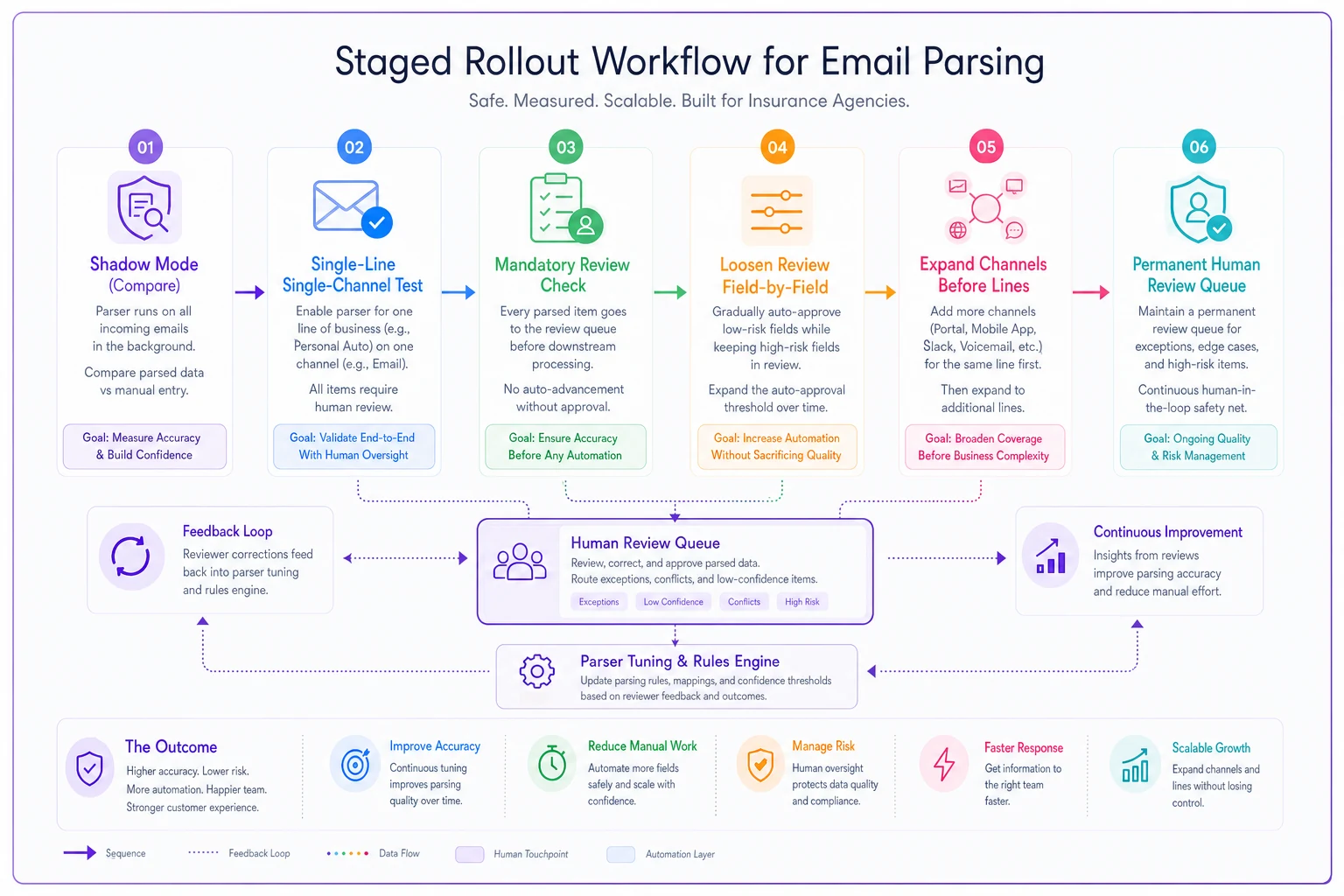
The pattern that separates smooth rollouts from painful ones is shadow mode. Agencies that skip it walk in blind, over-trust the parser, and spend the first month cleaning up mistakes. Two weeks of quiet comparison tells you exactly which fields are safe to automate and which need a human permanently.
A short real scenario
A mid-sized personal lines agency was manually keying around 220–250 new applications a month, most arriving by email from a mix of web leads and referral partners. Data entry alone was eating roughly 15–18 hours of CSR time weekly, and they were catching a handful of effective-date and coverage errors after issuance each month.
They ran two weeks of shadow mode first. That surfaced the real story: the parser was near-perfect on names, addresses, VINs, and phone numbers, but genuinely shaky on effective date and prior carrier. So they auto-filled the safe fields, kept the two shaky ones in a review queue, and pushed their top three referral partners onto a labeled intake format.
After about six weeks, entry time dropped to somewhere around 6–7 hours a week, and the post-issuance date errors mostly stopped — not because the parser got perfect, but because the risky fields never auto-filled without a human glance. The win came from restraint, not from trusting the parser more than it deserved.
When this makes sense — and when it doesn't
Auto-filling from parsed emails is worth it when you have consistent inbound volume through a few predictable channels and a meaningful share of CSR time is going to straight data entry. If most of your submissions come through one web form or a handful of steady referral partners, template design plus parsing will pay off pretty fast.
It's a bad fit when your inbound is almost entirely one-off, unstructured broker emails with no repeatable format, or when monthly application volume is low enough that the setup and monitoring cost more time than the manual entry ever did. Below roughly 40–50 applications a month, the review and tuning overhead often isn't worth it.
And it's genuinely risky if nobody owns the review queue. A parser without a human backstop for low-confidence and free-text fields will eventually push a wrong effective date or coverage limit into a policy. If you can't assign clear ownership of the flagged queue, hold off until you can.
Bottom line
The value isn't in the parser reading text. It's in the decisions around it — deciding per field what "good" looks like, shaping your inputs where you can, validating before anything touches your management system, and rolling out slowly enough to learn which fields to trust.
Do that, and email parsing insurance applications stops being a source of new errors and starts quietly removing the most tedious part of intake. Skip the setup work, and you've just automated your mistakes.
The value isn't in the parser reading text. It's in the decisions around it — deciding per field what "good" looks like, shaping your inputs where you can, validating before anything touches your management system, and rolling out slowly enough to learn which fields to trust. Do that, and email parsing insurance applications stops being a source of new errors and starts quietly removing the most tedious part of intake. Skip the setup work, and you've just automated your mistakes.
Ready to transform your insurance agency operations?
Join 500+ agencies using Covixly to reduce manual work, improve client service, and grow their book of business.