

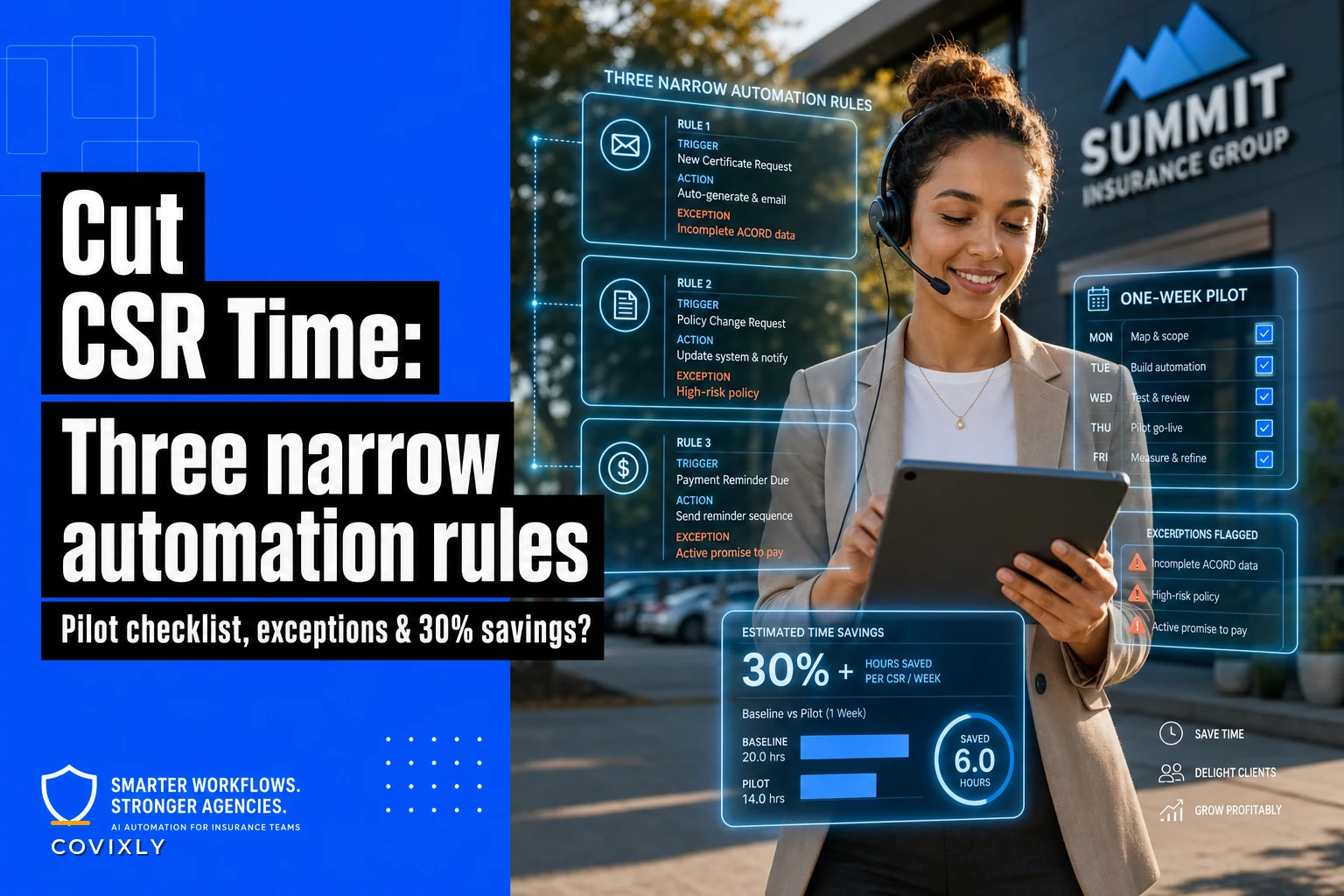

Most agencies that "automate CSR work" go too broad on day one. They buy a tool, wire up fifteen rules, and within two weeks the CSRs are quietly working around the automation because it keeps doing dumb things to good policies. Then the whole project gets shelved and everyone agrees automation "doesn't work for our book."
The problem was never automation. The problem was scope.
The three rules below are deliberately narrow. Each one has a specific trigger, a specific action, and a list of exceptions that keep it from touching accounts where a human should be in the loop. None of them replace a CSR. They just remove the repetitive keystroke-and-copy-paste work that quietly eats 20–30 minutes per policy without anyone noticing. Below are the rules, the exceptions that matter, a one-week pilot checklist, and rough time-savings math you can run against your own numbers.
Where CSR time actually leaks
Before getting into the rules, it's worth being honest about where the minutes go. When you time a CSR working a standard personal lines change or a small commercial renewal, the actual thinking part is short. Most of the clock is spent on:
-
Re-keying the same info across the AMS, the carrier portal, and an email
-
Chasing missing documents that were never requested in a structured way
-
Manually building the same three emails they send forty times a week
-
Updating activity notes so the next person knows what happened
None of that requires judgment. It requires accuracy and repetition — which is exactly what breaks down when a CSR is juggling 60+ open items. Automation rules for an insurance agency CSR should target these low-judgment, high-repetition steps first. Not the parts that need a licensed human deciding something.
Rule 1: Auto-request missing documents on new submissions
Trigger: A new business or endorsement submission is created and a required field or document is blank — missing driver's license number, missing loss runs, missing signed application, missing VIN, etc.
Eliminate paperwork bottlenecks and missed deadlines.
Covixly helps you track, manage, and close every policy and claim with confidence and speed.
- Unified policy & claims management
- Automated client notifications
- Agent task coordination
No credit card required
Action: Generate and send a pre-built request email to the client or producer, attach the correct fillable form, log the request as an activity, and set a follow-up task for 48 hours out.
-
The account is flagged high-value or house account
-
The missing item is a coverage-affecting decision (limits, deductible choices) rather than a document
-
The client has an open complaint or service ticket
-
The submission is on a carrier that rejects certain doc formats
Document-chasing is almost never a one-touch job. A CSR requests loss runs, forgets to follow up, the client forgets too, and four days later the submission is stale. The follow-up task is honestly the part that saves the most time — it removes the mental load of remembering who owes you what.
A realistic pattern here: a mid-size agency found that roughly 40% of commercial submissions were missing at least one required document at intake. Each one triggered, on average, two to three manual back-and-forth emails spread across several days. Automating the first request and the follow-up task didn't just save the email time — it shortened the whole cycle by a couple of days because nothing sat idle waiting for someone to remember it.
Rule 2: Auto-draft (not auto-send) routine renewal outreach
Trigger: A policy hits 45 days from renewal and the premium change is within a normal band — say, within ±10%.
Action: Draft a renewal email into the CSR's queue, pre-filled with the policy details, the new premium, and any changed terms pulled from the renewal offer. Attach the updated ID cards or dec page. Leave it in "draft — needs review" status.
-
Premium change beyond the normal band
-
Carrier non-renewal or major coverage change
-
Any policy with a claim in the last 12 months
-
Accounts on a payment plan that's behind
The critical design choice here is draft, not send. A lot of agencies get burned by letting automation email clients directly — one weird renewal goes out with wrong info and now you've got a trust problem that takes months to fix. Drafting keeps the CSR's eyes on the message for two seconds before it goes, which is enough to catch the odd mistake but still removes 90% of the typing.
Let CSRs keep final edit control — automation should draft but not send.
This is also where the ±10% band earns its keep. The clean renewals — the ones where nothing really changed — are exactly the ones burning CSR time for no reason. Those are safe to pre-draft. The messy ones with big premium jumps or a fresh claim need a person involved anyway, so you route them out of the automation entirely.
Rule 3: Auto-sync activity notes and status across systems
Trigger: A policy status changes in the AMS — bound, issued, cancelled, reinstated — or a key document is uploaded.
Action: Write a standardized activity note, update the client record status, and post an internal notification to whoever owns the next handoff step.
-
Cancellations for non-payment (should trigger a review, not a silent note)
-
Any status change on an account currently in an E&O-sensitive review
-
Manual overrides where a CSR has explicitly tagged the account "do not auto-note"
This one saves less obvious time but prevents the most expensive mistakes. The duplicate-work problem — two people touching the same policy because neither knew the other did — comes almost entirely from notes not being written, or not being written consistently. Standardized, auto-generated activity notes mean the next person opens the account and immediately knows where things stand.
CSRs skip note-writing when they're busy, and they're always busy. So note quality is worst exactly when the account is most active and most likely to get double-handled. Automating the note removes the "I'll write it later" gap entirely.
Time-savings math you can actually run
Here's a rough breakdown of where the 30% comes from. Assume a CSR handles about 25 policy touches a day and each touch involves some mix of the three tasks above.
| Task | Manual time per touch | After rule | Time saved |
|---|---|---|---|
| Document request + follow-up | ~8 min | ~1 min (review only) | ~7 min |
| Renewal outreach | ~10 min | ~2 min (review draft) | ~8 min |
| Activity notes + status sync | ~4 min | ~0.5 min | ~3.5 min |
Not every touch hits all three rules. But if the average policy touch drops from roughly 22 minutes of hands-on work to around 15, that's close to a 30% reduction — without changing headcount or cutting the client-facing steps that actually matter.
The honest caveat: your numbers will vary based on carrier mix and how bad your current note discipline is. Agencies with sloppy documentation usually see bigger gains, because they had more waste to begin with.
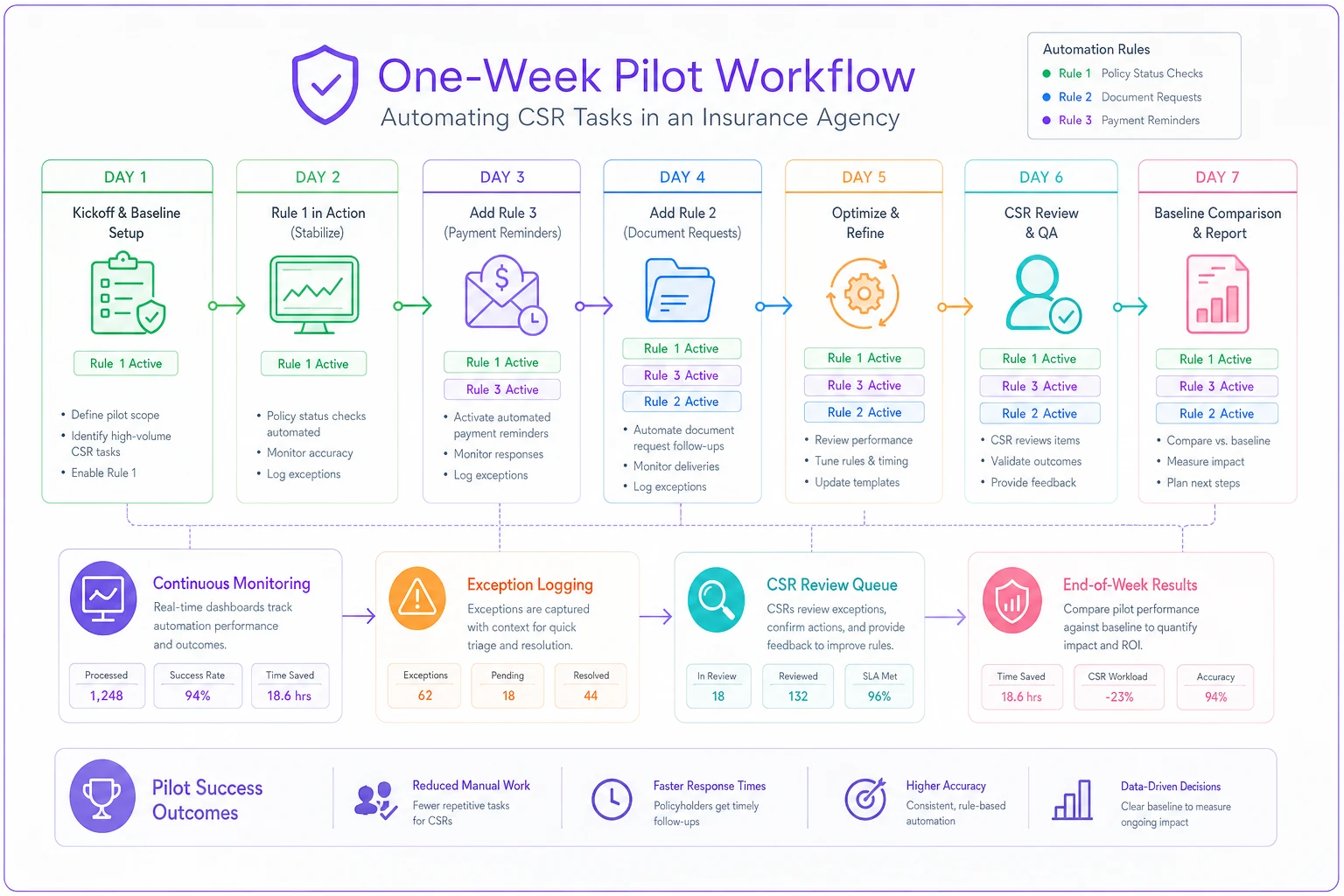
One-week pilot checklist
Don't roll this out to the whole team. Pick one CSR, one line of business, and one week.
-
[ ] Pick a single CSR and a single line (personal auto or a small commercial line works well)
-
[ ] Baseline first
time 15–20 real policy touches by hand before turning anything on
-
[ ] Turn on Rule 1 only for days 1–2, monitor for wrong-recipient or wrong-form errors
-
[ ] Add Rule 3 (notes/status) on day 3 — low risk, easy to verify
-
[ ] Add Rule 2 (renewal drafts) on day 4, but review every single draft before send
-
[ ] Log every exception the rules hit and confirm each exception routed correctly
-
[ ] End of week
re-time 15–20 touches and compare to baseline
-
[ ] Ask the CSR the real question — did this remove work or add babysitting?
A simple visual of the day-by-day steps can make the pilot easier for stakeholders to follow.
That last item matters more than the stopwatch. If your CSR feels like they're now supervising a robot instead of doing their job, the exception rules are too loose and the automation is touching accounts it shouldn't.
When this makes sense — and when it doesn't
This makes sense when you have consistent, high-volume repetitive touches, decent data hygiene in your AMS, and a book where most renewals are genuinely routine. Personal lines and small commercial books are the sweet spot.
This is a bad idea when your data is a mess. Automation runs on the fields in your system. If half your policies have blank or wrong data, the rules will fire on bad information and create more cleanup than they save. Fix the data first — even partially — before automating on top of it.
Who should not do this: agencies where nearly every account is a complex, negotiated commercial risk. If almost everything is an exception, you'll spend more time maintaining exception lists than you'll ever save. Automation pays off on volume and repetition, not on bespoke work.
A short real scenario
A two-location agency writing mostly personal lines and small BOPs had one CSR handling renewals who was consistently running 10–15 items behind by Friday. Not because she was slow — because every clean renewal still took ten minutes of copy-paste she could've done in her sleep.
They piloted Rule 2 and Rule 3 for one line over a week. Renewal drafts came in pre-filled, notes wrote themselves on status changes. By the end of the week her renewal backlog was basically gone, and the time she freed up went into the accounts that actually needed a phone call — the premium jumps and the claims-affected renewals that the automation deliberately routed to her.
Nothing dramatic happened. No revenue explosion, no headcount change. Just a CSR who stopped drowning in the parts of the job that never needed her judgment in the first place.
The takeaway
Narrow beats broad. Three tightly scoped rules with real exception lists will outperform a sprawling automation project every time, because they only touch the work that's safe to touch and leave the judgment calls where they belong.
Start with one CSR, one line, one week — and let the exceptions do their job of keeping humans in the loop where it counts.
Start with one CSR, one line, one week — and let the exceptions do their job of keeping humans in the loop where it counts.
Ready to transform your insurance agency operations?
Join 500+ agencies using Covixly to reduce manual work, improve client service, and grow their book of business.